Welcome
Complete user guide for the BIION-D Cloud Panel — centralized management interface for connected on-premise nodes, AI models, workspaces, and users.
Welcome to the official BIION-D Cloud user guide. This documentation covers every section available in the Cloud Panel, helping you manage workspaces, AI models, devices, users and more from a single centralized interface.
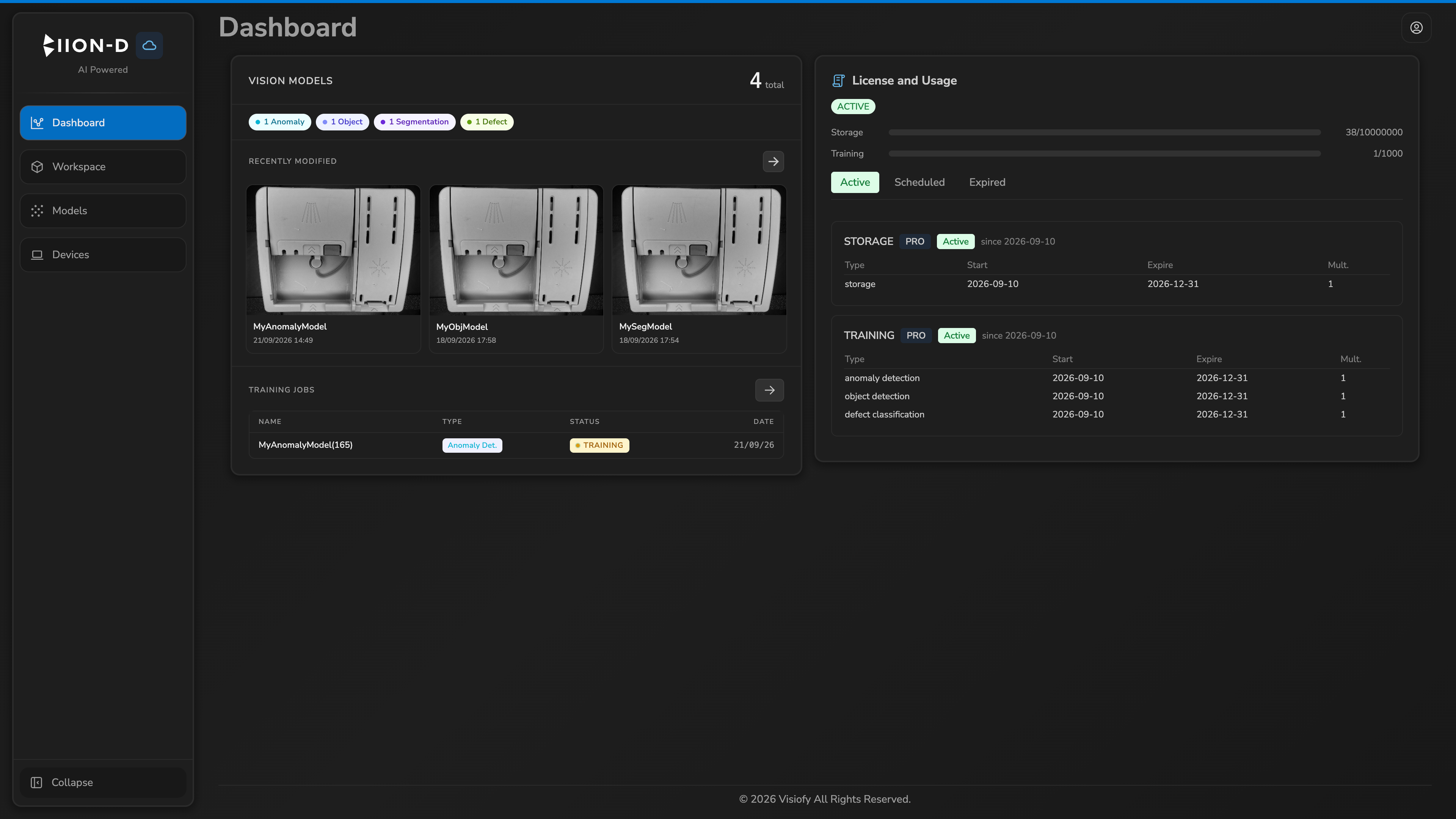
This guide is intended for operators and administrators who interact with the BIION-D Cloud Panel. For on-premise documentation, please refer to the separate admin guide.
What is BIION-D Cloud?
BIION-D Cloud is the centralized management layer for your on-premise BIION-D nodes. It allows you to:
- Monitor devices — view all connected on-premise nodes and their status.
- Manage AI models — browse models, training history and image datasets across all nodes.
- Configure workspaces — view workspace configurations and action plans synced from nodes.
- Manage users — create accounts, assign roles and set up organizational hierarchy.
- Track activity — access the dashboard for a quick overview of your fleet.
Quick Links
| Title | Destination |
|---|---|
| Dashboard | Dashboard |
| Devices | Devices |
| AI Models | Models |
| Annotations | Annotation interface |
| Licenses | Licenses and usage |
| Workspace | Workspace |