Workspace
Manage workspaces and their action plans across connected on-premise nodes.
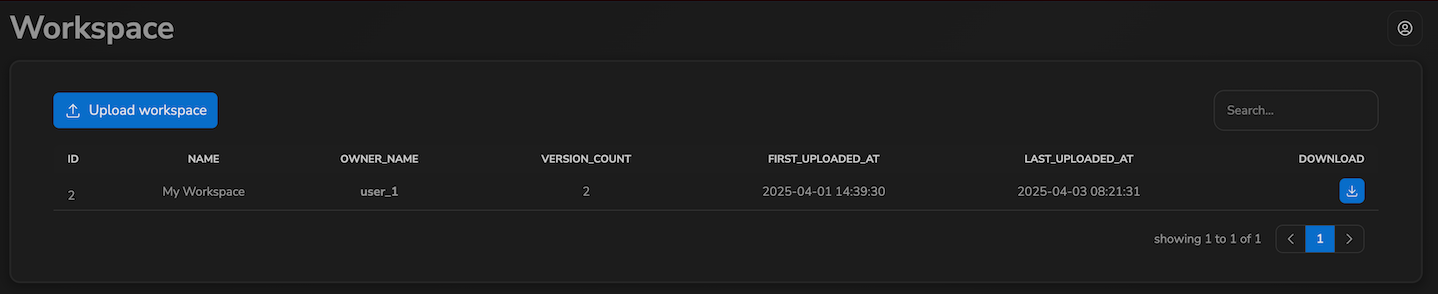
The Workspace section lists all workspaces associated with your account. A workspace groups one or more action plans — the configured inspection pipelines that run on connected on-premise nodes. Each workspace can have multiple versions, uploaded over time as the configuration evolves.
The Workspace section is not visible to Backoffice users.
Workspace List
The workspace list shows all workspaces you have access to:
| Column | Description |
|---|---|
| ID | Internal identifier of the workspace |
| Name | Display name of the workspace |
| Owner | The user account this workspace belongs to |
| Versions | Total number of uploaded versions for this workspace |
| First Uploaded | Date the workspace was first synced to the cloud |
| Last Uploaded | Date of the most recent sync |
| Download | Button to download the workspace configuration as a .json file |
Use the search field above the table to filter by name. Click any sortable column header to sort. Click a row to open the workspace detail.
Uploading a Workspace
Click Upload Workspace at the top of the list to upload a .json workspace configuration file from your computer. The uploaded workspace appears in the list immediately.

Next Steps
- Action Plans — browse and inspect the action plans inside a workspace