Action Plans
Browse and inspect the action plans configured inside a workspace.
An action plan is an inspection pipeline configured inside a workspace. Each workspace can contain multiple action plans — each one defining a specific sequence of modules that runs on the connected on-premise node.
Opening Action Plans
From the Workspace list, click a workspace row to open it. The view switches to the action plans for that workspace, showing each plan as a card.
Action Plan Cards
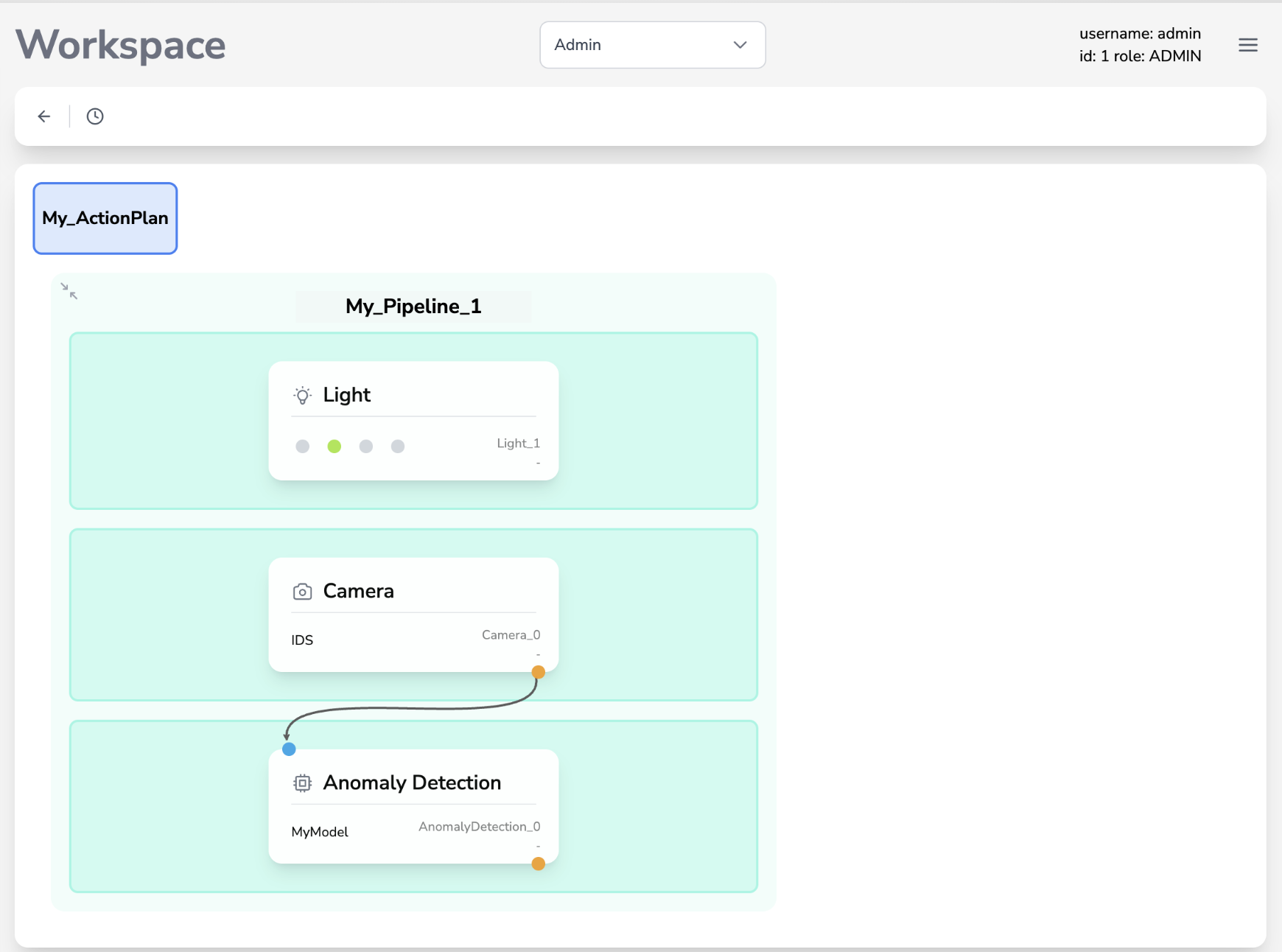
Each card represents one action plan and shows its name. Click a card to expand the pipeline graph for that action plan.
Pipeline Graph
The pipeline graph is a visual representation of the action plan’s module sequence. Nodes in the graph represent individual modules (camera, inference, output, etc.), connected by arrows that show the data flow.
The pipeline graph in the Cloud Panel is read-only. Editing modules and pipeline logic is done on the on-premise BIION-D interface. The Cloud Panel reflects the most recently uploaded configuration.
Use the ← back button in the toolbar to return to the workspace list.