Dashboard
Overview of models, training jobs, license, and usage.
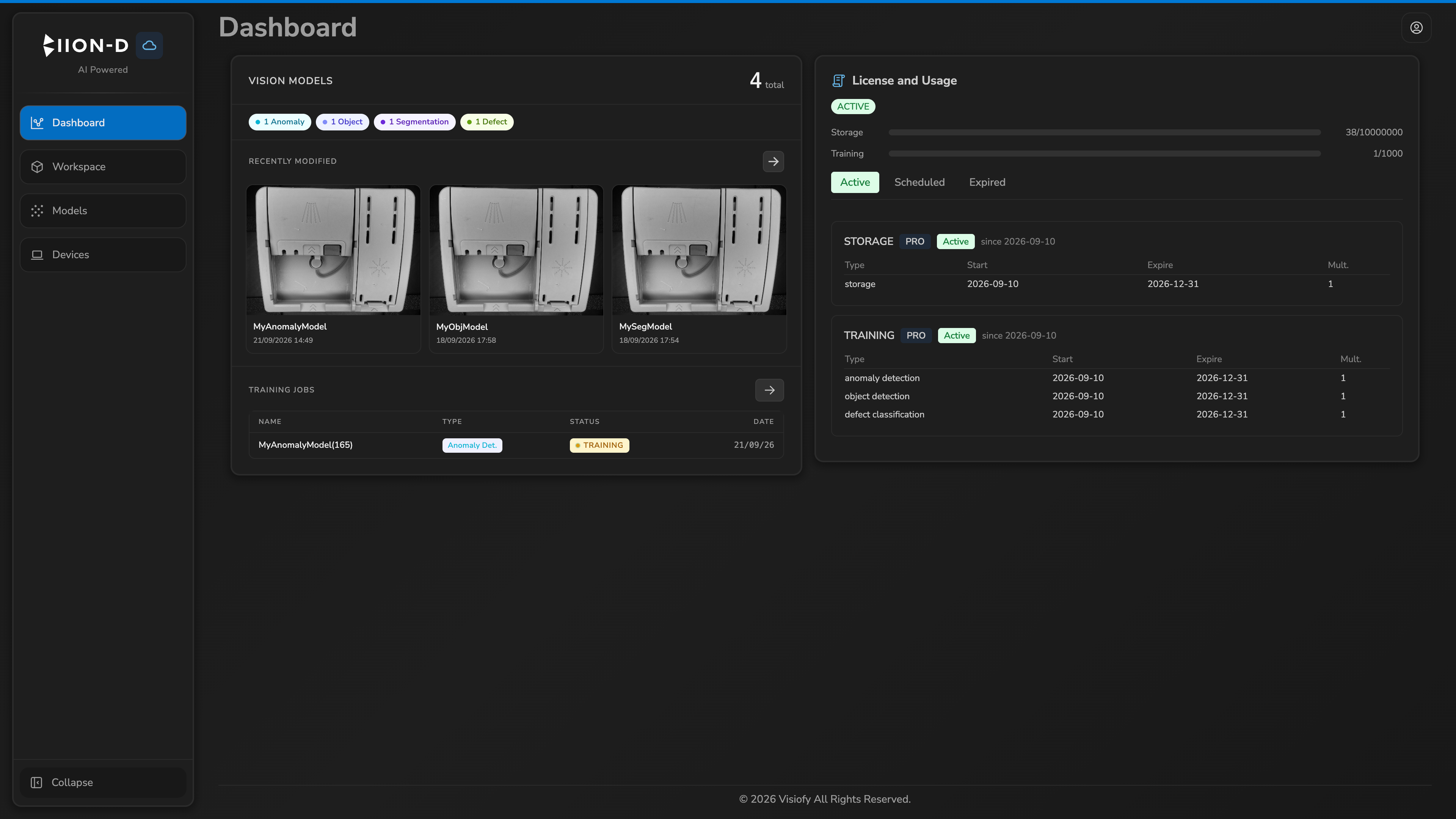
The Dashboard is the landing page of the Cloud Panel. It brings together the model summary, training jobs, and license status in a single view.
The data follows the account selected through User view when that control is available.
Vision Models
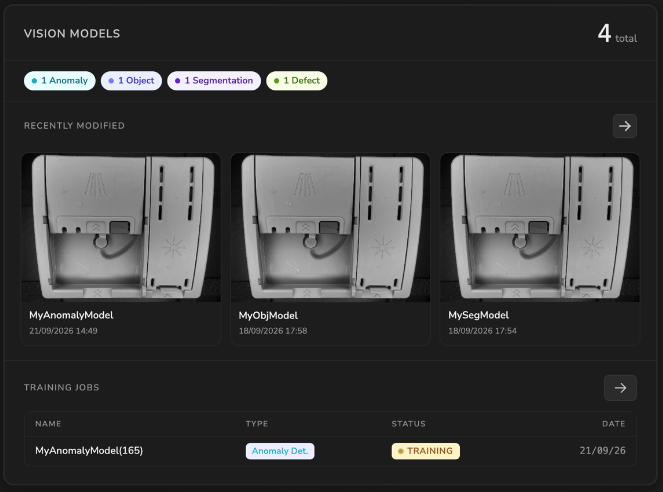
The Vision Models panel shows the total number of models and a breakdown by type:
| Entry | Model type |
|---|---|
| Anomaly | AnomalyDetection |
| Object | ObjectDetection |
| Segmentation | ObjectSegmentation |
| Defect | DefectClassification |
Under Recently Modified, you can find the last 3 models modified by the user.
Training Jobs
The table lists training jobs associated with the visible models.
| Column | Description |
|---|---|
| Name | Model name and identifier |
| Type | Model type |
| Status | Job status: Queued, Training, Trained, or Error |
| Date | Job creation date |
To review the full history or download a result, open the model and select Training History or Download History.
License and Usage
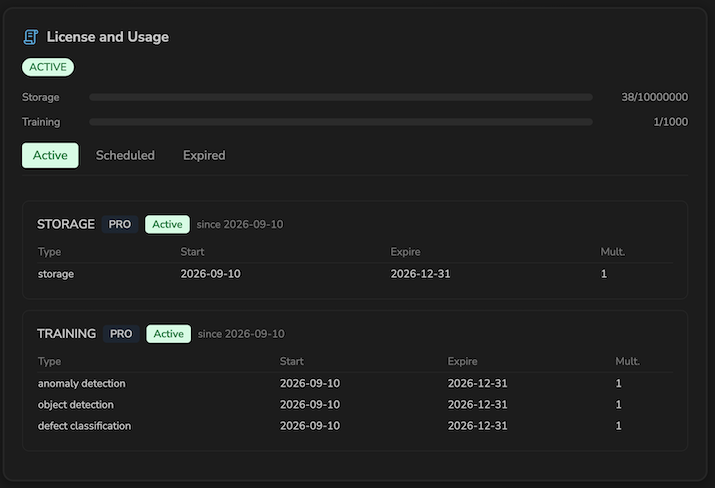
The License and Usage panel shows the active license for the account being viewed.
The Storage and Training bars compare current usage with the configured limit. Colors indicate proximity to the limit: green for normal usage, yellow for attention, and red for high usage.
Use the tabs to review:
- Active — categories and articles available now;
- Scheduled — items that become active in the future;
- Expired — expired or revoked items.
Each article shows its type, start date, expiry date, and multiplier. If there is no active license, the panel displays an informational message.
For details on how licenses affect model creation and training, see Licenses and usage.