Licenses and usage
Review license status, usage, and the features available to an account.
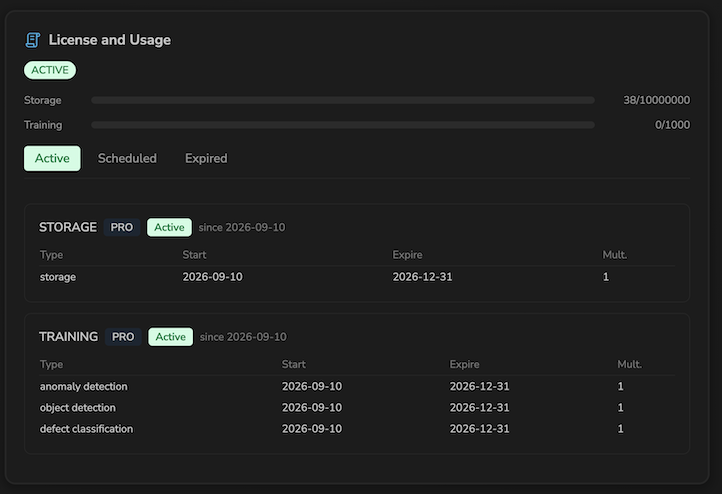
The Dashboard displays the license status and resource usage for the account being viewed.
Usage summary
The Storage and Training bars compare current usage with the limits defined by the license. Their color changes as usage approaches a limit.
Categories and articles
A license can contain storage and training categories. Use the following tabs:
- Active for articles that can be used now;
- Scheduled for articles that start in the future;
- Expired for expired or revoked articles.
Each entry shows its type, start date, expiry date, and multiplier.
Effect on models
For accounts subject to license checks, each model type requires a compatible training article. If the article is missing or expired, or there is no active license:
- the type cannot be selected when creating a model;
- annotation and training are unavailable for affected models;
- the gallery reports that the license is missing or expired.
Models and their history remain visible according to the account permissions.
Demo licenses make all model types included in the demo available. Administrators may follow different rules from standard user accounts.
If an action is unavailable despite the expected license, check the account currently being viewed and contact the platform administrator.