Lights
Control connected lights — toggle status, rename and run strobe tests.
The Lights tab shows a table of all connected lighting devices.
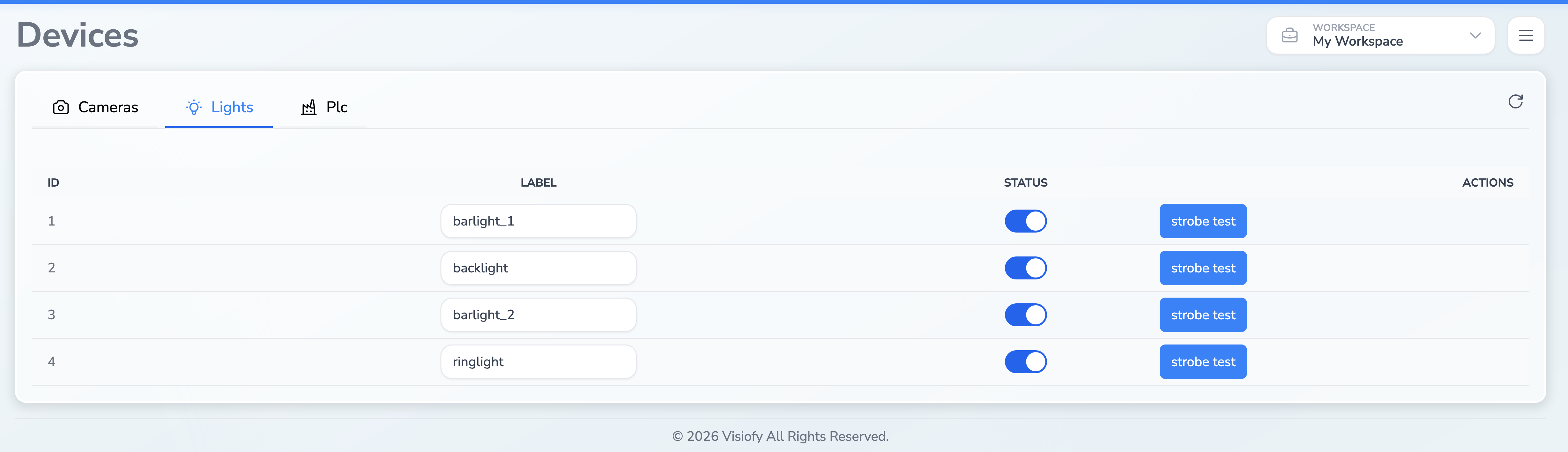
Lights Table
| Column | Description |
|---|---|
| ID | The hardware identifier of the light |
| Label | Editable name for the light — type a new name and press Enter to save |
| Status | Toggle switch to turn the light on or off |
| Actions | Strobe test button |
Toggling a Light
Use the toggle switch in the Status column to turn a light on or off. The change is applied immediately.
Renaming a Light
- Click on the label text field for the desired light
- Type the new name
- Press Enter to save
The field turns green briefly to confirm the change.
Running a Strobe Test
Click Strobe test to identify the physical light associated with a row. The test takes several seconds and restores the previous light state when it finishes.
During a strobe test, the button and the light’s toggle are temporarily disabled to prevent conflicts.
Turning lights on or off, renaming them and running a strobe test are unavailable while a workspace execution is active.