Light
Control connected lighting devices within a pipeline.
The Light module controls connected lighting devices (digital I/O) during pipeline execution. It is typically placed in a block before the camera block to ensure correct lighting conditions are set before image capture.
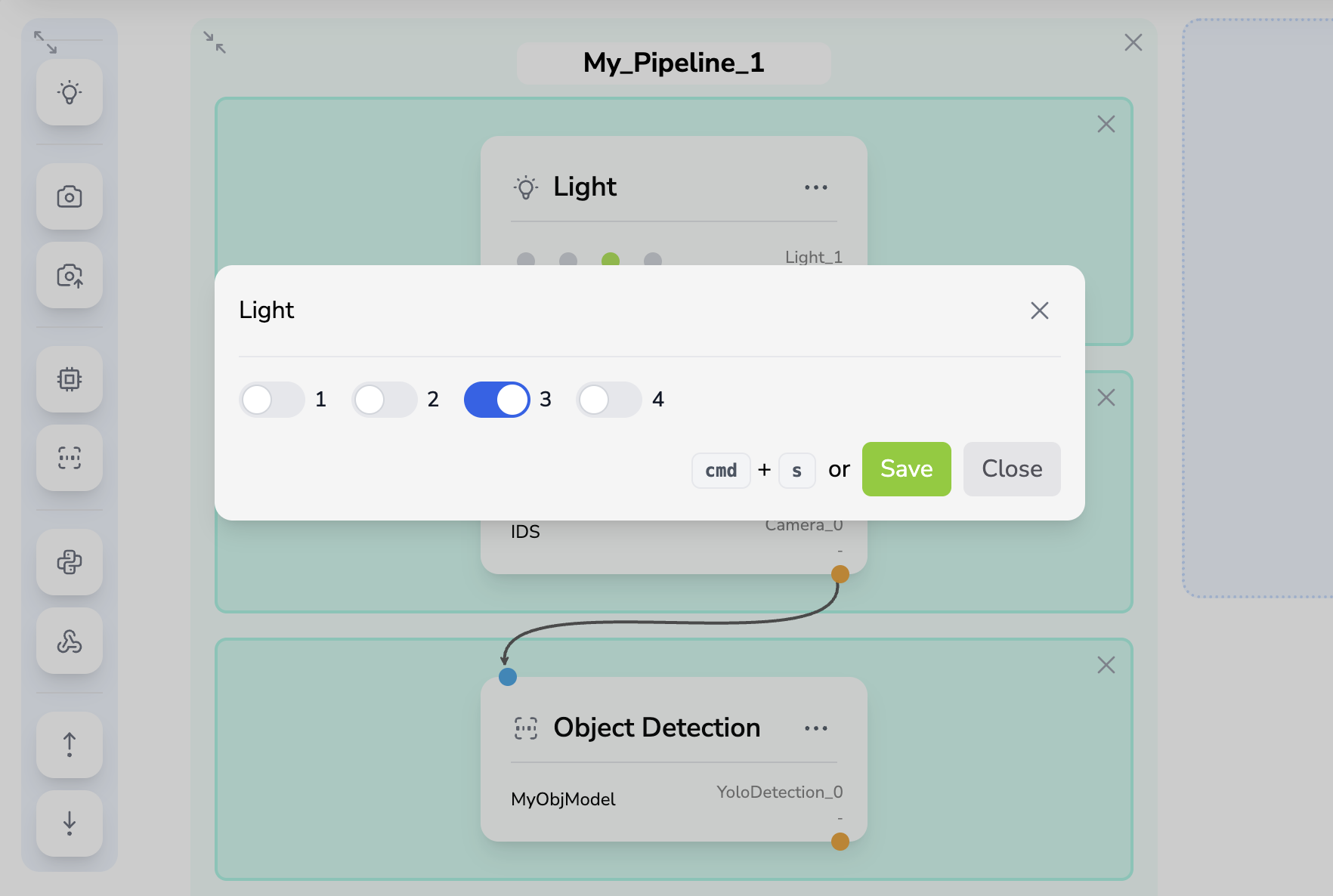
Configuration
| Field | Type | Description |
|---|---|---|
| Light switches | Toggle | Desired on/off state for every detected light channel |
Each key in the configuration object corresponds to a light label as defined on the Devices → Lights page.
The configuration modal displays one numbered switch for each available light.
Behavior
- The module compares the requested light states with the current hardware states.
- If any light needs to change, it sends the update commands and waits 100 ms for the lights to stabilize.
- If all lights are already in the requested state, the stabilization wait is skipped.
The 100 ms wait ensures the lights have physically reached their target state before the next block (typically a camera) executes.
Inputs & Outputs
| Direction | Key | Type | Description |
|---|---|---|---|
| Input | — | — | No inputs required |
| Output | — | — | No data output (only execution time is recorded) |
The Light module does not produce data outputs for other modules. It only writes <module_id>.execution_time to the registry for profiling purposes.
Validation Rules
| Rule | Description |
|---|---|
| Light-camera exclusion | A Light module and a Camera module cannot be in the same block. Place the Light in the block before the Camera. |
| Maximum one light per block | Only one Light module is allowed per block. |
Typical Pipeline Placement
A Light module should be placed in the first block of a pipeline, followed by a Camera module in the second block:
Block 0:  [ Light ]          ← Set lighting conditions
Block 1:  [ Camera ]         ← Capture image with correct lighting
Block 2:  [ Inferencer ]     ← Analyze captured image