Plugin
Execute sandboxed Python code with access to the pipeline data registry.
The Plugin module executes user-defined Python code. Scripts can read data from previous modules, transform it and export new values for later blocks.
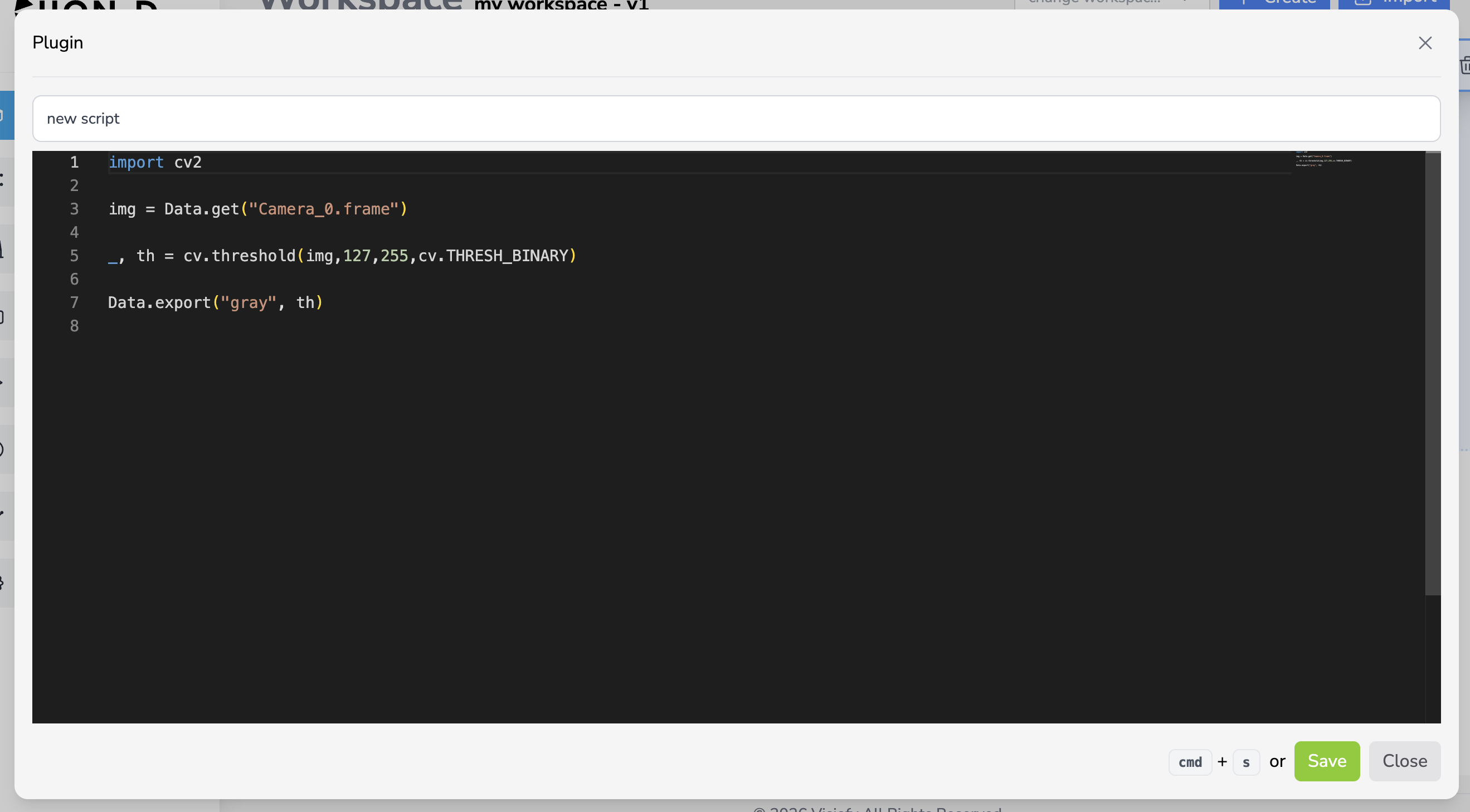
Configuration
| Field | Type | Description |
|---|---|---|
| script_id | string |
Script name shown in the editor and Codebase |
| code | string |
The Python source code to execute |
The Data API
Inside a Python script, you interact with pipeline data through the Data object:
Reading Data
# Get a value from the data registry
image = Data.get("Camera_0.frame")
score = Data.get("AnomalyDetection_0.pred_score")
Writing Data
# Export a value to the data registry
Data.export("result", my_result)
Data.export("processed_image", processed)
Exported variable names must not contain dots (.). The system automatically prefixes exports with <module_id>., so an export named result from a module with ID PythonScript_0 becomes PythonScript_0.result in the registry.
Input & Output Detection
The system automatically detects inputs and outputs by parsing the script code:
- Inputs: extracted from
Data.get("...")andData.get_*("...")calls - Outputs: extracted from
Data.export("...")andData.export_*("...")calls
This allows the validation system to verify that all dependencies are satisfied before execution.
Console Output
Any print() output from the script is forwarded to the action plan console panel. Errors are displayed with an error indicator.
Compliance Override
Scripts can override the pipeline’s compliance value by exporting a special key:
# Override COMPLIANT=0, UNCERTAIN=1, DEFECTED=2
Data.set_compliance(COMPLIANT)
Inputs & Outputs
| Direction | Key | Type | Description |
|---|---|---|---|
| Input | Any key via Data.get(...) |
varies | Data from previous modules |
| Output | <module_id>.<exported_name> |
varies | Data exported via Data.export(...) |
Use Save to codebase to keep a reusable script. Existing Codebase entries can be loaded, overwritten or deleted from the editor.
Example Script
# Read the anomaly prediction score
score = Data.get("anomaly_0.pred_score")

# Apply custom business logic
if score < 0.3:
    verdict = "PASS"
    compliance = 0
elif score < 0.7:
    verdict = "REVIEW"
    compliance = 1
else:
    verdict = "FAIL"
    compliance = 2

# Export results
Data.export("verdict", verdict)
Data.set_compliance(compliance)

print(f"Verdict: {verdict} (score: {score})")