History
Browse past pipeline execution results with search, filtering and detailed run inspection.
The History page lists saved frame and stream executions. By default the table is filtered to the current day.
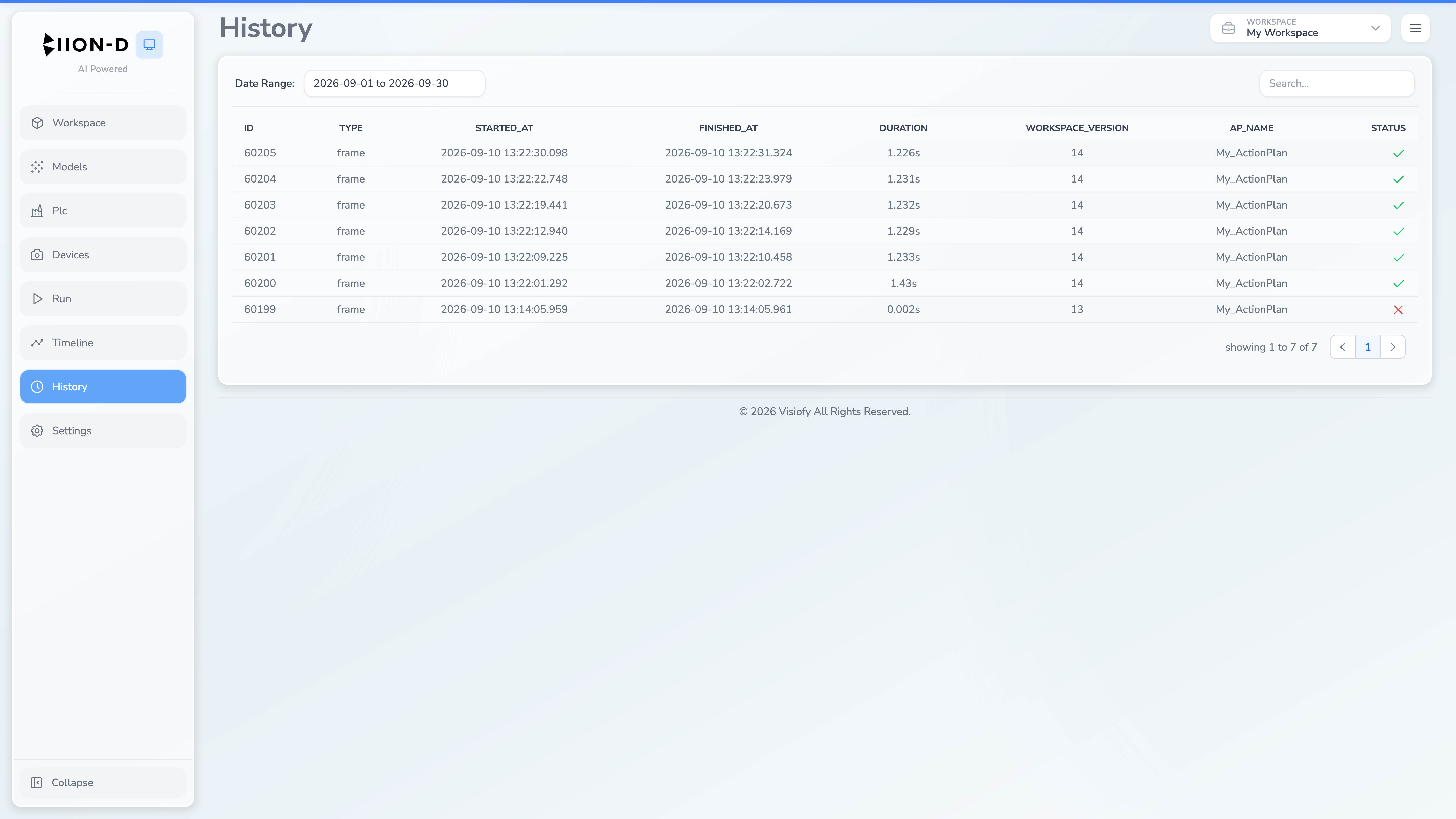
History Table
The main view is a searchable, paginated table with the following columns:
| Column | Description |
|---|---|
| ID | Unique run identifier |
| Type | Execution type: frame (single capture) or stream (continuous) |
| Started at | Date and time the run began |
| Finished at | Date and time the run completed |
| Duration | Calculated duration in seconds |
| Workspace version | The workspace version that was active during the run |
| AP name | The action plan that was executed |
| Status | Completion status: ✅ success (green check), ❌ error (red X), or ⏳ running (spinner) |
Viewing Run Details
Set a date range when looking for older runs, then select a row to open its detail.
Frame Runs
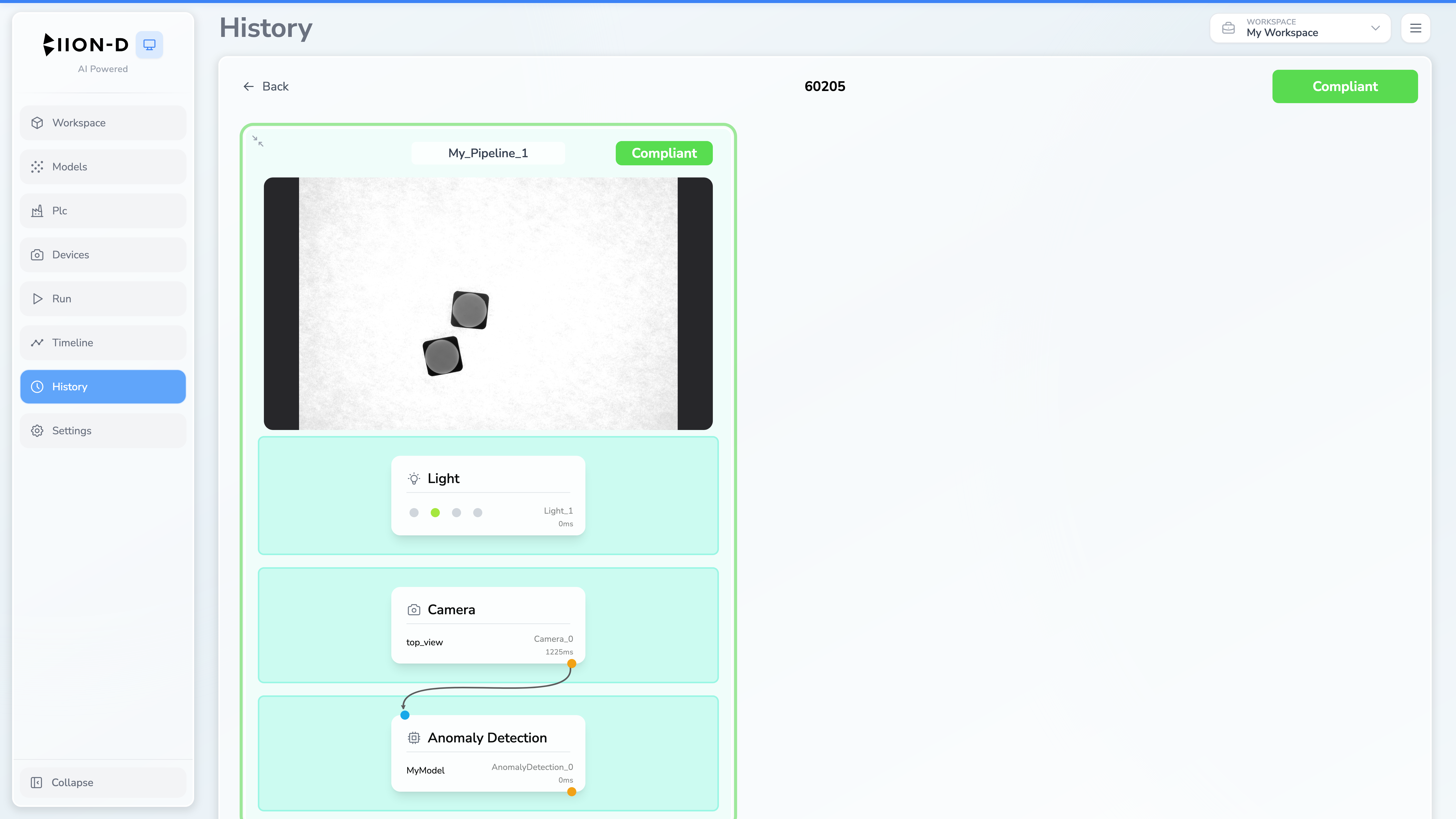
For frame type runs, the action plan is rendered with all pipeline results displayed inline on each module — the same visualization as the Run page, but read-only.
Stream Runs
Selecting a stream run opens the corresponding result in Timeline.
Navigation
- Back to list — click the ← Back button or press Escape to return to the history table from the detail view.
The Escape key only works when no modals are open. If a modal is visible, Escape will close the modal first.
Searching and Sorting
- Use the date range to select the period to query.
- Use the search box to filter matching run data.
- Select supported column headers to change sort order.
- Use the pagination controls at the bottom to navigate through results