Modules Overview
Overview of all pipeline modules available in BIION-D action plans.
Modules are the building blocks of every pipeline inside an action plan. Each module performs a specific task — capturing images, running AI inference, controlling lights, executing custom scripts or communicating with PLCs.
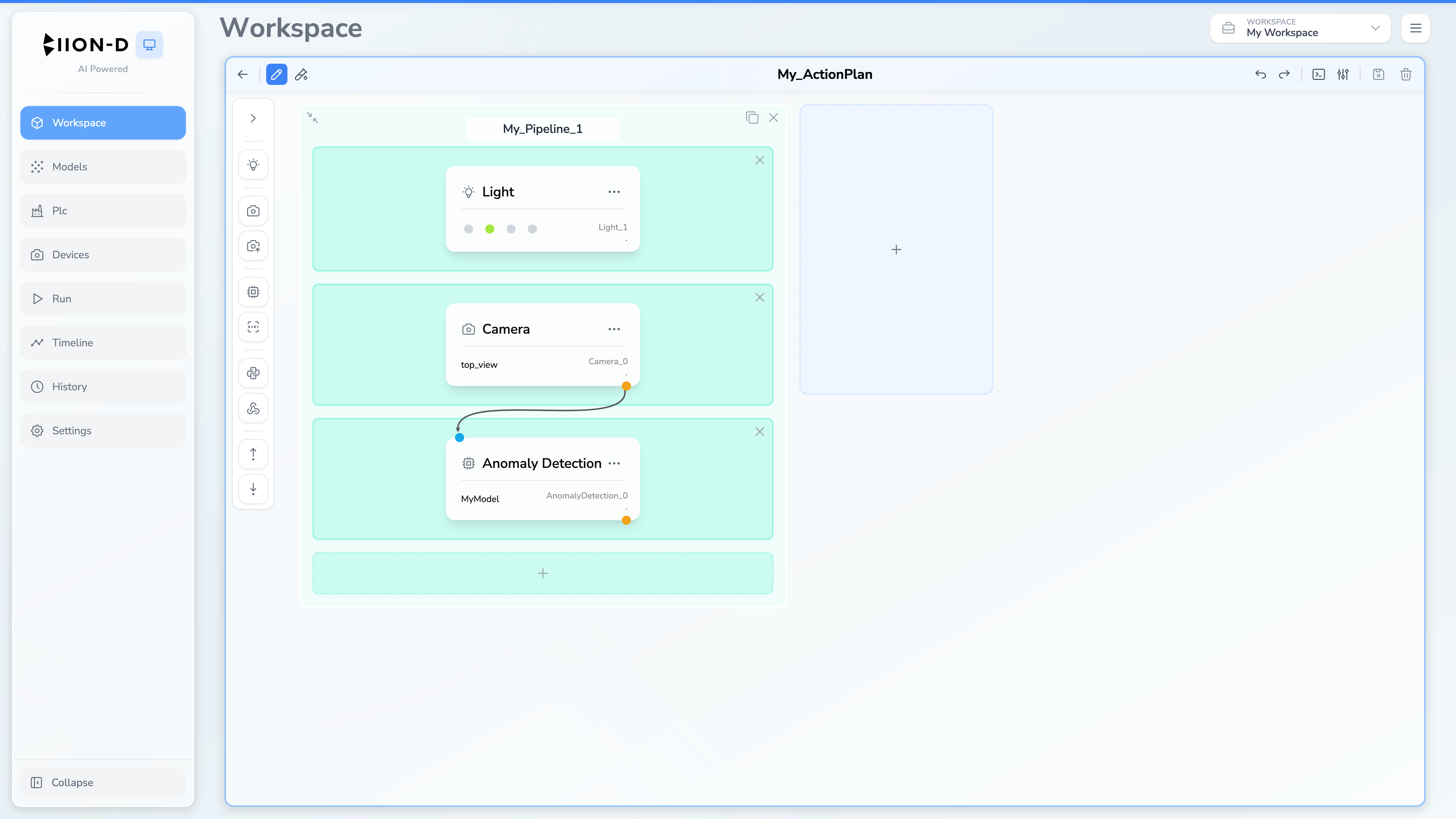
Available Modules
BIION-D provides ten modules:
| Module | Description |
|---|---|
| Camera | Capture a frame from a physical camera connected to the system |
| Camera API | Fetch an image from an external HTTP endpoint |
| Anomaly Detection | Detect anomalies in images — produces a heatmap and prediction score |
| Object Detection | Detect objects and return classes, confidence values and bounding boxes |
| Measurement | Measure configured geometric features after calibration |
| Light | Control connected lighting devices |
| Plugin | Execute Python code with access to pipeline data |
| Webhook | Execute an asynchronous JavaScript integration script |
| OPC-UA Reader | Read a value from a PLC node via OPC-UA |
| OPC-UA Writer | Write a value to a PLC node via OPC-UA |
How Modules Work Inside Pipelines
Modules are organized in blocks (rows) within a pipeline. All modules in the same block execute in parallel, while blocks execute sequentially from top to bottom.
Each module declares:
- Inputs — data it needs from previous blocks (e.g., an image from a camera module)
- Outputs — data it produces for subsequent blocks (e.g., a frame, a prediction score)
The system automatically validates that all input dependencies are satisfied by outputs from earlier blocks.
For a detailed explanation of how pipelines and blocks work, see Pipeline Structure.
Acquisition and Inference
The Run page offers Acquisition and Inference modes:
| Constraint | Description |
|---|---|
| Acquisition | Capture images and add them to model datasets |
| Inference | Execute the configured inspection and calculate results |
The editor creates each module with the execution behavior required by its type. There is no per-module mode selector in the current interface.
Data Flow
Modules communicate through a shared Data Registry. When a module produces output, it is stored in the registry using dot notation:
<module_id>.<output_name>
For example, a camera module with ID camera_0 produces:
camera_0.frame
An anomaly detection module with ID anomaly_0 produces:
anomaly_0.anomaly_map
anomaly_0.pred_score
Downstream modules reference these keys as inputs. For instance, an anomaly detection module configured with image_name = "camera_0.frame" will read the image from the camera module’s output.
Compliance Tracking
Anomaly Detection automatically updates the compliance value from its prediction score and configured thresholds:
| Compliance | Value | Meaning |
|---|---|---|
| Good | 0 | Prediction score below min_threshold |
| Uncertain | 1 | Prediction score between min_threshold and max_threshold |
| Defected | 2 | Prediction score above max_threshold |
Object Detection returns detections but does not automatically change compliance. A Plugin can apply custom compliance logic when required.
Next Steps
- Camera — capture images from physical cameras
- Camera API — fetch images from HTTP endpoints
- Anomaly Detection — detect anomalies with AI
- Object Detection — detect objects and inspect bounding boxes
- Measurement — calibrate a plane and measure geometric features
- Light — control lighting devices
- Plugin — run custom Python code
- Webhook — run an asynchronous integration script
- OPC-UA Reader — read values from PLC nodes
- OPC-UA Writer — write values to PLC nodes
- Pipeline Structure — understand blocks, pipelines and validation rules
- Examples — practical examples of pipeline creation and usage