Plugins
View installed plugins, their status, and their logs.
Open Settings → Plugins to see the plugins installed on the Edge device. Plugins can add modules to the editor’s catalogue and dedicated panels to the sidebar.
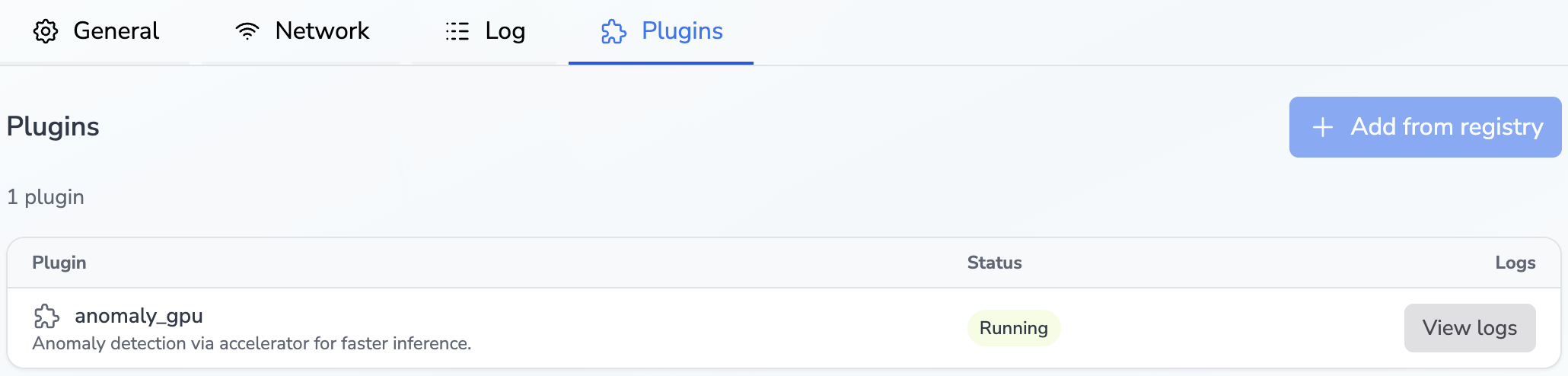
| Status | Meaning |
|---|---|
| Installing | The plugin is being set up. |
| Starting | The plugin is starting and has not yet responded to its readiness check. |
| Running | The process is running and, if configured, its readiness check passed. |
| Unavailable | The process is running, but its readiness check is failing. The plugin may be unable to reach a service it depends on. |
| Stopped | The plugin process is not running. |
If a plugin is unavailable, open View logs. Choose Backend for service messages or Installer for installation messages. You can pause updates to read a message without it scrolling away.
Only plugins that provide a panel appear in the sidebar. Plugin modules work like other pipeline modules. They are separate from the Python script module, which is labelled Plugin in the editor.
Add from registry is not yet available.